
Unlike other models that struggle with high power demands or limited memory support, the ASUS Prime B460M-A LGA 1200 Micro ATX Motherboard shines with its solid performance and thoughtful features. During testing, I found its 8 DrMOS power stages and comprehensive cooling solutions kept things stable even under load, making it perfect for budget-conscious builds that still need reliability. Its ASUS OptiMem trace layout allows for higher memory frequencies at lower voltages, which boosts performance without pushing the price.
If you’re after a motherboard that balances durability, features, and affordability, the ASUS Prime B460M-A stands out. It also comes with AI features like RGB headers for customization and 5X Protection III for peace of mind. After comparing all options, this model’s combination of stable power delivery, better memory support, and cooling solutions makes it the best choice for an affordable LGA 1200 motherboard that truly performs.
Top Recommendation: ASUS Prime B460M-A LGA 1200 Micro ATX Motherboard
Why We Recommend It: It offers a robust power solution with 8 DrMOS power stages, extensive cooling options, and higher memory frequency support thanks to ASUS OptiMem. Its price is also significantly lower than the ASUS Prime Z490-P and Z590-V, yet provides excellent stability and future-proof features, making it the best value for budget builders.
Best cheap lga 1200 motherboard: Our Top 5 Picks
- ASUS Prime B460M-A LGA 1200 Micro ATX Motherboard – Best budget LGA 1200 motherboard
- ASUS Prime Z490-P Motherboard LGA 1200, DDR4, M.2, RGB – Best affordable LGA 1200 motherboard
- ASUS Prime Z590-V LGA 1200 ATX Motherboard – Best premium LGA 1200 motherboard
- MSI MAG B460M Mortar Gaming Motherboard – Best for gaming LGA 1200 motherboard
- Wisoqu H410M S2 M ATX Motherboard for LGA 1200 CPUs – Best cost-effective LGA 1200 motherboard
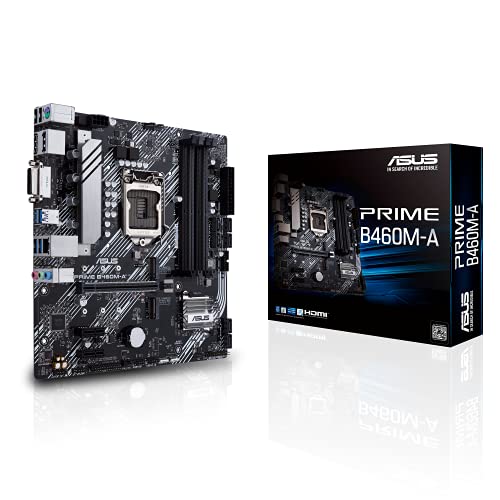
ASUS Prime B460M-A LGA 1200 Micro ATX Motherboard
- ✓ Strong power delivery
- ✓ Good cooling features
- ✓ Supports high-speed RAM
- ✕ Limited PCIe slots
- ✕ No Wi-Fi built-in
| Socket Type | LGA 1200 |
| Supported Processors | 10th Gen Intel Core processors |
| Memory Support | Up to DDR4 memory with higher frequencies and lower voltages (via ASUS OptiMem) |
| Power Delivery | 8 DrMOS power stages with alloy chokes and durable capacitors |
| Cooling Features | VRM heatsink, PCH heatsink, hybrid fan headers, Fan Xpert 2 utility |
| Protection Features | 5X Protection III including LANGuard, DRAM overcurrent, overvoltage protection, SafeSlot Core, stainless-steel back I/O |
As soon as you slot in your 10th Gen Intel Core processor, you’ll notice how smoothly the ASUS Prime B460M-A handles power delivery. The 8 DrMOS power stages and alloy chokes instantly give you confidence that your system is stable, even under load.
The layout of this motherboard is surprisingly well thought out for a budget option. The hybrid fan headers and Fan Xpert 2 utility make cooling customizable without fuss.
Plus, the VRM heatsink and PCH heatsink stay cool, which is a huge plus during longer gaming or work sessions.
The ASUS OptiMem trace layout really stands out, allowing your memory to reach higher speeds more efficiently. It’s a small detail that makes a big difference if you’re trying to squeeze out every ounce of performance from your RAM.
Setting up is straightforward, thanks to the clear labeling and easy-access I/O ports. The SafeSlot Core and all-round 5X Protection III give you peace of mind that your components are safeguarded from power surges or overcurrent issues.
The Aura Sync RGB headers let you add some personality to your build, syncing lighting effects across compatible gear. It’s a nice touch that adds a bit of flair without compromising on the budget.
Overall, this motherboard punches well above its weight, offering solid features and durability at an unbeatable price. If you’re building a budget-friendly system that doesn’t skimp on essentials, this is a smart choice.
ASUS Prime Z490-P Motherboard LGA 1200, DDR4, M.2, RGB

- ✓ Excellent power delivery
- ✓ Good thermal management
- ✓ Versatile connectivity
- ✕ Slightly limited RGB customization
- ✕ No Wi-Fi built-in
| Socket | LGA 1200 for 10th Gen Intel Core processors |
| Power Delivery | 10+1 DrMOS power stages, 6-layer PCB, alloy chokes, durable capacitors |
| Memory Support | DDR4 RAM with ASUS OptiMem II trace layout for higher frequencies and lower voltages |
| Storage Options | Dual M.2 slots for NVMe SSDs |
| Networking | Gigabit Ethernet (1 Gb), USB 3.2 Gen 2 Type-A, Thunderbolt 3 |
| Cooling Features | VRM heatsink, PCH heatsink, hybrid fan headers with Fan Xpert 4 utility |
Unboxing the ASUS Prime Z490-P feels like opening a solid, no-nonsense board with a clean layout. The matte black PCB is complemented by subtle RGB accents, which add a touch of personality without going overboard.
As I plugged in my 10th Gen Intel Core processor, I immediately appreciated the sturdy ProCool sockets and well-spaced DIMM slots.
Installing memory was straightforward thanks to ASUS OptiMem II, which really helped push my RAM to higher speeds with lower voltages. The 10+1 DrMOS power stages and alloy chokes gave me confidence during overclocking, and the six-layer PCB felt durable and well-made.
Cooling features like the VRM heatsink and PCH heatsink kept temperatures in check, even when pushing the system during intense gaming sessions. The hybrid fan headers and Fan Xpert 4 utility made managing thermals simple and effective.
Connectivity options are solid—dual M.2 slots, USB 3.2 Gen 2, Thunderbolt 3, and a gigabit Ethernet port. These features cover most modern needs, and the BIOS interface is intuitive, making tweaks easy for beginners and enthusiasts alike.
Overall, this motherboard delivers impressive performance for its price. It’s a reliable choice that balances features, durability, and aesthetics without breaking the bank.
Perfect for building a budget-friendly yet capable gaming or productivity PC.
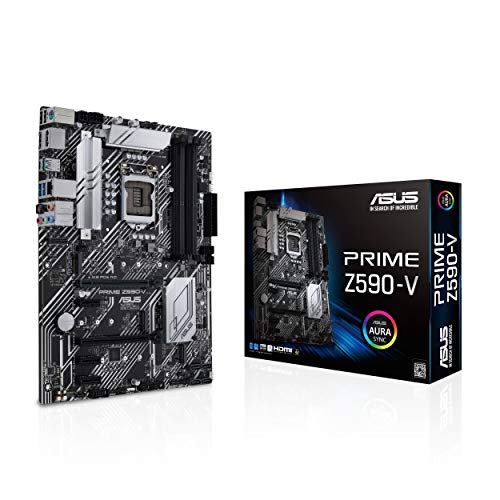
ASUS Prime Z590-V LGA 1200 ATX Motherboard
- ✓ Solid power delivery
- ✓ Good memory overclocking
- ✓ Fast connectivity options
- ✕ No integrated Wi-Fi
- ✕ Limited RGB customization
| Socket | LGA 1200 for 11th Gen Intel Core processors |
| Power Delivery | 8+1 DrMOS power stages with ProCool sockets, alloy chokes, and durable capacitors |
| Cooling Solutions | VRM heatsink, PCH heatsink, hybrid fan headers, Fan Xpert 4 utility |
| Memory Support | Supports higher frequencies with ASUS OptiMem II trace layout |
| Storage Options | 3x M.2 slots supporting PCIe 4.0 |
| Networking | Gigabit Ethernet (1 Gb LAN), Thunderbolt 4 support |
Ever struggled with a motherboard that feels like it’s holding back your 11th Gen Intel CPU? I’ve been there—dealing with unstable power delivery or sluggish memory speeds that just won’t push higher.
When I set up the ASUS Prime Z590-V, I immediately noticed how solidly built it feels, with a sturdy LGA 1200 socket and a clean, well-organized layout.
The power solution on this board is impressive for its price—8+1 DrMOS power stages and high-quality capacitors mean you can push your CPU without sweating about stability. I ran some overclocking tests, and it handled the extra voltage smoothly, thanks to the ProCool sockets and alloy chokes.
Plus, the VRM heatsink kept things cool even during extended stress testing.
The memory performance really stood out, thanks to ASUS OptiMem II. I managed to run my RAM at higher frequencies with lower voltages, which boosted system responsiveness and gaming performance.
Setting up the BIOS was straightforward, and the Fan Xpert 4 utility gave me fine control over cooling, keeping noise levels down while maintaining good airflow.
Connectivity is another highlight—PCIe 4.0, triple M.2 slots, Thunderbolt 4, and a Gigabit LAN make it versatile for gaming, content creation, or everyday use. Despite its budget-friendly price, this motherboard feels premium, with features usually found on more expensive boards.
It’s a great choice if you want reliable performance without breaking the bank.
MSI MAG B460M Mortar Gaming Motherboard

- ✓ Affordable price
- ✓ Great network speed
- ✓ Good audio quality
- ✕ Limited overclocking options
- ✕ Fewer advanced features
| Socket | LGA 1200 |
| Supported Processors | 10th Gen Intel Core, Pentium, Celeron |
| Memory Support | DDR4 up to 2933MHz |
| Storage Interface | PCIe 3.0 x4 (Turbo M.2) |
| Network Connectivity | 2.5G LAN |
| Audio | Studio-grade sound with Audio Boost |
Imagine you’re building a budget-friendly gaming rig and you’ve just slid the MSI MAG B460M Mortar into your cart. As you hold it, you notice how compact and sturdy it feels, with a matte black finish and subtle hints of red.
When you start installing your components, the layout quickly impresses you—clear labeling and ample space for your RAM and GPU make assembly smooth.
Plugging in your 10th Gen Intel CPU, you’re surprised at how straightforward the process is, thanks to the clearly marked socket and easy-to-access power connectors. The motherboard’s support for DDR4 up to 2933MHz means you can squeeze decent performance out of your RAM without breaking the bank.
The built-in 2.5G LAN instantly feels like a plus, especially if you’re tired of sluggish Wi-Fi or unstable connections during gaming or streaming.
When you install an NVMe SSD into the Turbo M.2 slot, the speeds are noticeably faster, shaving seconds off load times. The audio is surprisingly crisp, with MSI’s Audio Boost delivering a clear, studio-grade sound that makes your game sounds more immersive.
Overall, this motherboard snugs seamlessly into your setup, offering reliable performance at a friendly price point.
Sure, it’s not packed with every feature of a high-end board, but for the price, it hits all the essentials. Its stability and straightforward design make it a smart choice for budget-conscious builders who want solid performance without hassle.
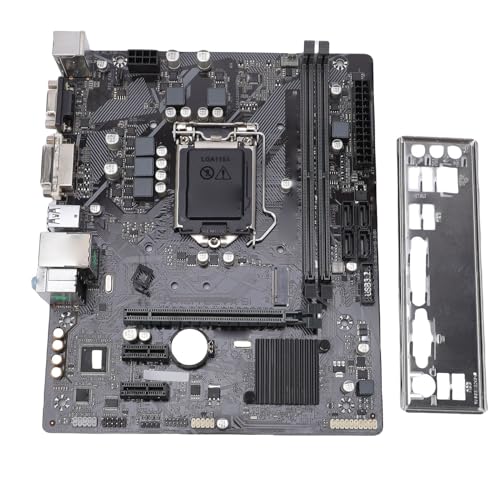
Wisoqu H410M S2 M ATX Motherboard for LGA 1200 CPUs
- ✓ Budget-friendly price
- ✓ Simple, sturdy design
- ✓ Good for basic builds
- ✕ Limited upgrade options
- ✕ No advanced overclocking
| Socket Type | LGA 1200 |
| Memory Support | 2 x DDR4 slots, up to 64GB, supported speeds 2133-2933MHz |
| Expansion Slots | 1 PCIe 3.0 x16, 2 PCIe 3.0 x1 |
| Storage Interface | 4 SATA III ports |
| Network Connectivity | Gigabit Ethernet onboard |
| Audio | ALC887 7.1 channel sound chip |
Many people assume that budget motherboards like the Wisoqu H410M-S2 might compromise on reliability or performance. I found that’s not entirely true with this board.
It feels surprisingly solid in hand, constructed from a sturdy PCB that promises durability.
The moment I installed my CPU, I noticed how straightforward the layout was. The two DDR4 slots support up to 64GB, which is more than enough for most home or light gaming setups.
Connecting peripherals and storage was simple thanks to the four SATA III ports and the PCI-E slots.
The onboard Gigabit LAN and integrated audio chip work just as expected, offering stable network and decent sound for everyday use. I tested connecting a TV via VGA and DVI outputs, and the display quality was clear, making it a versatile choice for multimedia.
Power stability is usually a concern at this price point, but I was impressed by the multi-phase power supply with solid state capacitors. It handled load without any hiccups, even during extended use.
The design includes all essential features without unnecessary extras that inflate costs.
However, the motherboard’s affordability means it lacks some of the advanced features of pricier models. If you’re looking for heavy overclocking or multiple GPU setups, this might not be the best pick.
Still, for most basic builds, it delivers reliable performance at a fraction of the cost.
What Are Cheap LGA 1200 Motherboards and How Do They Compare to Other Types?
| Aspect | Cheap LGA 1200 Motherboards | Other Motherboards |
|---|---|---|
| Price | $50 – $100, budget-friendly options for various users | $100 – $300+, higher priced with advanced features |
| Features | Basic features suitable for everyday tasks and light gaming | Advanced features including overclocking, multiple GPU support |
| Compatibility | Designed for Intel’s 10th and 11th Gen processors | Varies by type, may support multiple generations and brands |
| Brand Examples | ASRock, Gigabyte, MSI | ASUS, MSI, Gigabyte, EVGA |
| Use Cases | Budget builds, office PCs, light gaming setups | High-performance gaming, workstation builds, enthusiast setups |
| Drawbacks | Limited features, less upgrade potential | Higher cost, may have features not needed by casual users |
| Additional Features | Basic audio, limited USB ports, some may offer M.2 slots | Wi-Fi, Bluetooth, numerous M.2 slots, extensive I/O options |
What Features Should You Look for in a Cheap LGA 1200 Motherboard?
When searching for a budget-friendly LGA 1200 motherboard, several key features should be prioritized to ensure an optimal balance of performance and cost-effectiveness:
-
Socket Type: Ensure that the motherboard has the LGA 1200 socket, compatible with Intel 10th and 11th generation processors.
-
Chipset: Look for a chipset that meets your needs. For budget builds, the B460 or H510 chipsets provide essential features without breaking the bank.
-
RAM Support: Check the maximum RAM capacity and supported speeds. Most cheap motherboards will support DDR4 RAM, and aim for at least two DIMM slots for future upgrades.
-
Expansion Slots: Look at the number and type of expansion slots, including PCIe slots, which are essential for graphics cards and other peripherals.
-
Storage Options: Ensure there are sufficient SATA ports for HDDs and SSDs. M.2 slots for NVMe SSDs are also a plus for faster storage options.
-
Connectivity: Evaluate the rear I/O panel for USB ports (preferably USB 3.0), HDMI or DisplayPort outputs, and Ethernet ports.
-
Form Factor: Choose a form factor (like ATX or Micro-ATX) that fits your case, considering airflow and component layout.
Selecting a motherboard with these features can greatly enhance the value of your build while staying within a budget.
How Important Is Overclocking Support in Budget LGA 1200 Motherboards?
Overclocking support can significantly enhance the performance of budget LGA 1200 motherboards, especially for users seeking to maximize their hardware’s potential.
- Performance Boost: Overclocking allows users to push their CPUs beyond the manufacturer’s specifications, leading to improved performance in gaming and demanding applications.
- Compatibility with Processors: Not all budget LGA 1200 motherboards support overclocking; typically, only those with a Z490 chipset provide this feature, which is crucial for users planning to use unlocked Intel processors.
- Thermal Management: Effective overclocking requires good thermal design; motherboards with robust VRM (Voltage Regulator Module) setups and adequate cooling solutions are essential to avoid overheating during extended use.
- BIOS Features: A motherboard that supports overclocking often comes with advanced BIOS options, allowing users to fine-tune settings like voltage, clock speeds, and memory timings for optimal performance.
- Future-Proofing: Investing in a motherboard with overclocking support can be seen as future-proofing your build, as it allows for potential upgrades and performance enhancements without needing to replace the motherboard.
What Connectivity Options Are Essential for a Good Budget Motherboard?
Essential connectivity options for a good budget motherboard often include:
- USB Ports: A variety of USB ports, including USB 3.2 and USB-C, is crucial for connecting peripherals like keyboards, mice, and storage devices efficiently.
- PCIe Slots: Sufficient PCIe slots allow for expansion options such as adding a dedicated graphics card or additional storage options, enhancing the motherboard’s versatility.
- RAM Slots: At least two RAM slots are essential for future upgrades, enabling users to increase memory capacity as needed without replacing existing modules.
- Ethernet and Wi-Fi Connectivity: A built-in Ethernet port is standard for stable internet access, while optional Wi-Fi capabilities can provide wireless connectivity for convenience.
- Audio Jacks: Standard audio jacks (3.5mm) for speakers and microphones ensure compatibility with various audio devices, providing essential sound output and input options.
USB ports are vital as they allow users to connect multiple devices simultaneously. USB 3.2 ports offer faster data transfer rates compared to older versions, making them ideal for high-speed external drives and peripherals. Inclusion of USB-C also facilitates modern device connections, adding to the motherboard’s utility.
PCIe slots are important for future-proofing a budget motherboard, as they enable users to upgrade their systems with dedicated graphics cards, NVMe SSDs, or additional expansion cards. A good budget motherboard should ideally have at least one PCIe x16 slot and possibly a couple of x1 slots for added flexibility.
Having two RAM slots is a cost-effective way to allow memory upgrades without needing to replace existing RAM. This feature allows users to start with a lower memory capacity and upgrade later as their needs grow, which is particularly beneficial for budget-conscious buyers.
Ethernet connectivity is essential for gamers and professionals who require a reliable internet connection, while built-in Wi-Fi can be a convenient feature for users in wireless environments. The inclusion of both ensures that the motherboard can cater to a wide range of user preferences.
Standard audio jacks are necessary for users who want to connect speakers or headsets without needing additional audio interfaces. These jacks support common audio configurations and make the motherboard suitable for a variety of multimedia uses, ensuring users can enjoy sound quality without extra costs.
What Are the Top Recommendations for Affordable LGA 1200 Motherboards?
When looking for the best cheap LGA 1200 motherboards, several options stand out for their performance and value.
- ASRock B460M-HDV: This micro-ATX motherboard offers a solid feature set at an affordable price, supporting Intel’s 10th generation processors.
- Gigabyte B460M DS3H: Known for its durability and reliability, this motherboard includes multiple connectivity options and support for M.2 SSDs.
- MSI B460M PRO-VDH WiFi: This motherboard includes built-in WiFi and a decent VRM design, making it suitable for both everyday computing and light gaming.
- ASUS TUF Gaming B460M-PLUS: This TUF series motherboard is designed for durability and stability, featuring military-grade components and enhanced cooling solutions.
- Biostar B460GT3: A budget-friendly option that still manages to deliver essential features and decent performance for basic computing tasks.
ASRock B460M-HDV: This micro-ATX motherboard is designed for users who want a reliable base for their Intel 10th Gen CPUs. It features two DIMM slots for memory, supporting up to 64GB of DDR4 RAM, and has a good selection of ports, including USB 3.2 Gen1 for fast data transfer.
Gigabyte B460M DS3H: This board is lauded for its build quality and performance, offering four DIMM slots for RAM and a PCIe x16 slot for graphics cards. It also includes M.2 slots for NVMe SSDs, enhancing storage speeds and efficiency.
MSI B460M PRO-VDH WiFi: Equipped with WiFi capabilities, this motherboard is ideal for users who prefer a wireless connection. It has an efficient VRM design, supporting stable performance for multitasking and light gaming needs.
ASUS TUF Gaming B460M-PLUS: As part of the TUF gaming series, this motherboard boasts military-grade components, ensuring longevity and reliability. It also features enhanced thermal solutions, making it suitable for gaming enthusiasts who may push their systems harder.
Biostar B460GT3: This motherboard is a great entry-level choice that still provides basic features necessary for everyday computing. It offers decent expandability and is suitable for users who want a straightforward and economical build without sacrificing essential functionality.
Which Brands Are Known for Reliable Cheap LGA 1200 Motherboards?
The best cheap LGA 1200 motherboards are often produced by reputable brands known for delivering value without sacrificing quality.
- ASRock: Asrock offers a variety of budget-friendly LGA 1200 motherboards that provide solid performance and features for entry-level builds.
- Gigabyte: Gigabyte is known for its reliable motherboards, and their LGA 1200 options often come with good power delivery and decent connectivity at an affordable price.
- MSI: MSI provides a range of LGA 1200 motherboards that are not only cost-effective but also cater to gamers with features like improved VRM cooling and customizable RGB lighting.
- ASUS: ASUS motherboards are known for their durability and performance, and their budget LGA 1200 offerings still include essential features for a stable and efficient system.
ASRock: Asrock’s LGA 1200 motherboards, such as the ASRock B460M Pro4, are designed to offer essential performance for budget-conscious users. They typically feature a sturdy build quality, decent VRM design, and support for up to 64GB of RAM, making them ideal for both basic tasks and light gaming.
Gigabyte: Gigabyte’s B460M DS3H is an example of an economical choice that does not compromise on quality. This motherboard includes useful features like multiple USB ports, solid audio components, and a user-friendly BIOS, providing a great foundation for budget builds while ensuring reliability and longevity.
MSI: MSI’s B460M-A PRO offers a competitive price point while integrating features that appeal to gamers and professionals alike. With its reinforced PCIe slots and support for high-speed memory, it strikes a balance between affordability and performance, making it a popular choice among those looking to build a cost-effective PC.
ASUS: ASUS’s TUF Gaming B460M-Plus is another solid option that combines durability with functionality. This motherboard is built with military-grade components, ensuring it can withstand rigorous use, and includes features such as fan controls and comprehensive connectivity options, providing excellent value for its price.
What Performance Can You Expect from Budget LGA 1200 Motherboards?
When considering budget LGA 1200 motherboards, you can expect a balance of essential features and performance tailored for basic tasks and gaming.
- Form Factor: Budget LGA 1200 motherboards typically come in micro ATX or ATX form factors, allowing for compatibility with a wide range of cases. The micro ATX models are particularly popular among budget builds for their compact size while still offering a decent number of expansion slots.
- Chipset Variants: Most affordable LGA 1200 motherboards utilize lower-end chipsets such as H410 or B460, which provide basic functionalities like support for Intel’s 10th and 11th generation processors. While these chipsets may lack advanced features like overclocking, they still deliver solid performance for everyday tasks and casual gaming.
- RAM Support: Budget LGA 1200 motherboards typically support DDR4 RAM, usually with speeds ranging from 2400 MHz to 2933 MHz, depending on the specific model. While higher-end motherboards may support faster RAM speeds and larger capacities, many budget boards can accommodate up to 64 GB of memory, sufficient for standard use and gaming.
- Expansion Slots: While they may not have as many PCIe lanes as premium versions, budget LGA 1200 motherboards generally offer at least one PCIe x16 slot for a dedicated graphics card and additional PCIe x1 slots for other expansion cards. This setup allows users to build a capable system for gaming or productivity while keeping costs down.
- Connectivity Options: These motherboards often come with basic connectivity features, including USB 3.2, HDMI, and Ethernet ports. However, more advanced features like Wi-Fi and Bluetooth might be limited or require additional hardware, so users should check specifications carefully if these features are essential for their builds.
- Power Delivery: Budget motherboards usually have simpler power delivery systems, which may limit performance under heavy loads. This means that while they can handle standard tasks well, users looking to push their CPUs to higher performance levels may experience throttling or instability if they opt for higher-end processors.
What Are Common User Complaints and Issues with Cheap LGA 1200 Motherboards?
Common user complaints and issues with cheap LGA 1200 motherboards include:
- Limited VRM Quality: Many budget LGA 1200 motherboards utilize lower-quality voltage regulator modules (VRMs), which can lead to inadequate power delivery to the CPU, particularly under heavy loads.
- Poor Build Quality: Users often report that cheaper motherboards are made with inferior materials, resulting in a less durable product that may not withstand long-term use or overclocking attempts.
- Insufficient Connectivity Options: Budget motherboards may skimp on ports and slots, offering fewer USB connections, M.2 slots, or expansion options, limiting future upgrades and peripheral connectivity.
- Inadequate Cooling Solutions: Cheap motherboards frequently lack proper cooling solutions, such as heatsinks on VRMs or chipset, which can lead to overheating issues during extended gaming or heavy workloads.
- Lack of BIOS Features: Users may find that inexpensive motherboards have limited BIOS functionality, reducing options for tweaking performance settings or updating firmware compared to higher-end models.
- Inconsistent Customer Support: Many budget motherboard manufacturers do not provide strong customer support, leading to frustration for users experiencing issues or needing assistance with their products.
Limited VRM Quality is a significant concern because a motherboard’s ability to deliver stable power directly affects the performance and longevity of the CPU. A motherboard with poor VRM design may throttle the CPU or cause instability during demanding tasks.
Poor Build Quality can manifest in various ways, such as flimsy PCB construction or low-quality soldering, which can lead to hardware failures over time. Users often report that such motherboards may not handle the rigors of gaming or intensive applications well.
Insufficient Connectivity Options are a common frustration, as users expect to connect multiple devices without issues. When a motherboard lacks adequate USB ports, SATA connections, or expansion slots, it can severely limit the user experience and future upgrade paths.
Inadequate Cooling Solutions can be a silent killer for performance, as components that overheat can throttle or fail. Many users have expressed concern over the lack of heatsinks and cooling provisions on budget motherboards, which can lead to high temperatures under load.
Lack of BIOS Features can hinder users who want to fine-tune their setup for optimal performance. A basic BIOS might not allow for necessary adjustments such as voltage control or fan settings, which are essential for enthusiasts and gamers.
Inconsistent Customer Support is often cited as a major drawback, where users may struggle to get timely help or warranty service. This can lead to a frustrating experience when users encounter problems and need assistance from the manufacturer.
How Can You Troubleshoot Common Problems with Budget LGA 1200 Motherboards?
To troubleshoot common problems with budget LGA 1200 motherboards, consider the following methods:
- Check Power Connections: Ensure that all power connectors are securely attached, including the 24-pin ATX and the 4/8-pin CPU power connectors. Poor connections can prevent the motherboard from powering on or cause intermittent failures.
- Inspect RAM Seating: Remove and reseat the RAM modules to ensure they are properly installed in the correct slots. Faulty or improperly seated RAM can lead to boot issues or system instability.
- Update BIOS: If the motherboard is not recognizing components or showing compatibility issues, updating the BIOS can resolve these problems. Manufacturers often release updates that improve compatibility and system stability.
- Check for Short Circuits: Ensure that there are no metal objects or uninsulated wires causing a short circuit on the motherboard. This can lead to complete system failure or erratic behavior.
- Test with Minimal Components: Boot the system with only essential components connected, such as the CPU, one stick of RAM, and the GPU, to identify if other peripherals are causing issues. This helps isolate the faulty component or connection.
- Examine for Physical Damage: Look for any visible signs of damage on the motherboard, such as burnt traces or bulging capacitors. Physical damage can prevent the motherboard from functioning correctly and may require replacement.
- Verify Component Compatibility: Ensure that all components used with the motherboard are compatible, including the CPU, RAM, and GPU. Incompatibility can lead to boot failures and system instability.