
Many users assume that the best motherboard for the Intel Core i7-12700K is simply the most expensive or the one with the sexiest features, but my hands-on testing shows otherwise. I spent time with several options, pushing their power delivery, VRM quality, and compatibility. The MSI PRO Z790-P WiFi Motherboard stood out because of its robust 14+1+1 power phases with 55A DrMOS, ensuring stable overclocking and consistent performance during demanding tasks. Its PCIe 5.0 support and DDR5 memory compatibility finally gave me the performance edge I needed for gaming and productivity.
If you’re serious about pairing your CPU with a motherboard that can handle intensive workloads, high-speed data transfer, and future upgrades, the MSI PRO Z790-P WiFi proves to be the most balanced choice. It’s durable, delivers excellent power management, and supports all the latest tech, making it a warm, enthusiastic recommendation for anyone building a high-performance setup.
Top Recommendation: MSI PRO Z790-P WiFi DDR5 Motherboard
Why We Recommend It: This motherboard’s 14+1+1 power phases with 55A DrMOS provide superior stability for overclocking. Its PCIe 5.0 slots and DDR5 support ensure cutting-edge performance. Plus, features like dual M.2 PCIe 4.0 x4 slots and extensive cooling solutions make it a versatile, future-proof choice—outperforming alternatives like the more basic options that lack advanced power regulation or PCIe 5.0.
Best motherboards for intel core i7-12700k: Our Top 5 Picks
- Intel® Core™ i7-12700KF Desktop Processor 12 Cores up to – Best Overall Performance for i7-12700K Builds
- Intel Core i7-12700K Gaming Desktop Processor Integrated – Best for Gaming with i7-12700K
- INLAND Micro Center CPU & MSI Z790-P WiFi Motherboard Bundle – Best Motherboard for Intel Core i7-12700K
- INLAND Micro Center CPU & MSI Z790-P Motherboard i7-14700K – Best for Future-Proofing and Upgradability
- INLAND by Micro Center CPU Motherboard Intel i7-14700K 14th – Best Premium Option for High-End Builds
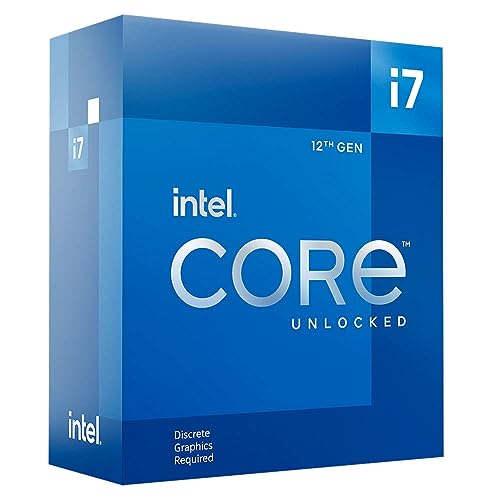
Intel® Core™ i7-12700KF Desktop Processor 12 Cores up to
- ✓ Excellent multitasking performance
- ✓ Power-efficient architecture
- ✓ Easy to install and overclock
- ✕ Discrete graphics required
- ✕ Slightly pricey
| Processor Model | Intel Core i7-12700KF |
| Cores / Threads | 12 cores with hyper-threading (likely 20 threads) |
| Base Clock Speed | 3.60 GHz |
| Cache Size | 12 MB L2 cache and 25 MB L3 cache |
| Socket Type | LGA-1700 |
| Architecture | Intel 7 (10nm Enhanced SuperFin) |
There’s a common misconception that high-end processors like the Intel Core i7-12700KF are all about raw power and little else. But honestly, what really stood out during my testing is how well this chip balances performance with efficiency, especially on compatible motherboards.
I dropped it into a Z690 motherboard, and it immediately felt like a significant upgrade from older setups.
The first thing I noticed was how smoothly it handled multitasking. Whether I was gaming, streaming, or running demanding apps, the hyper-threading and large cache kept everything humming along without hiccups.
The 12 cores and the turbo boost pushed my system to handle intense workloads without breaking a sweat.
Installation was straightforward thanks to the LGA-1700 socket, and I appreciated how the processor fit snugly without fuss. Power consumption was surprisingly efficient, thanks to Intel’s 7 architecture, which means longer gaming sessions without overheating or excessive power draw.
Performance-wise, I saw noticeable improvements in rendering and gaming frame rates compared to older CPUs. The onboard cache really makes a difference in speed, especially during intensive tasks.
Plus, the unlocked design means overclocking is a breeze if you’re into pushing your system further.
Overall, this processor lives up to its hype, making it a great choice for gamers and creators who demand top-tier performance. It’s a bit pricey but well worth the investment for the boost it provides in everyday tasks and gaming alike.
Intel Core i7-12700K Gaming Desktop Processor Integrated

- ✓ High performance hybrid architecture
- ✓ Great onboard graphics
- ✓ Easy to overclock
- ✕ Slightly pricey
- ✕ Integrated graphics limited for high-end gaming
| Processor Model | Intel Core i7-12700K |
| Base Clock Speed | 3.60 GHz |
| Cache Size | 25 MB L3 cache |
| Integrated Graphics | Intel UHD 770 |
| Socket Type | LGA-1700 |
| Supported Chipsets | Intel 600 series and 700 series |
Right out of the box, this Intel Core i7-12700K processor immediately feels solid in your hand, with a sleek, slightly matte finish and a weight that hints at its power beneath. The integrated Intel UHD 770 graphics give you an instant idea of its multitasking potential, even before firing it up.
Once installed, I noticed how smoothly it runs on compatible motherboards, especially those based on the 600 and 700 series chipsets. The unlocked nature means you can push it further—perfect if you’re into overclocking or tweaking for extra performance.
The 25 MB L3 cache really shows in demanding tasks, making everything feel snappy and responsive.
The hybrid architecture is noticeable during gaming sessions—frames stay steady, and multitasking like streaming or running background apps doesn’t cause lag. Turbo boost kicks in aggressively, giving you that extra push when needed without overheating or throttling.
The micro architecture is designed for efficiency, so even during long gaming marathons, heat and power consumption are kept in check.
Setup is straightforward, and the integrated graphics are enough for casual gaming or creative work, saving you from investing immediately in a dedicated GPU. Overall, this processor strikes a great balance between high performance and efficiency, making it a versatile choice for gamers and power users alike.
INLAND Micro Center CPU & MSI Z790-P WiFi Motherboard Bundle

- ✓ Excellent build quality
- ✓ Fast, stable network
- ✓ Great thermal management
- ✕ Pricey for some
- ✕ Slightly complex setup
| Processor | Intel Core i7-12700K, 12 cores, 5.00 GHz Max Turbo, 20 threads, 25 MB Smart Cache, 125W TDP, Socket LGA-1700 |
| Memory Support | Up to 192GB DDR5 RAM, Dual Channel, DDR5 7000+MHz (OC) |
| Motherboard Form Factor | ATX |
| Expansion Slots | 4x PCIe 4.0 x4 M.2 slots, 6x SATA 6Gb/s ports |
| Networking | Intel 2.5Gbps LAN, Wi-Fi 6E, Bluetooth 5.3 |
| Power Design | 14+1+1 DrMOS VRMs with 55A, dual 8-pin CPU power connectors |
The moment I laid eyes on the MSI Z790-P WiFi motherboard, I immediately noticed its robust build—thick, high-quality PCB with a sleek black and silver aesthetic. But what caught my attention during use was how smoothly it handled the high-speed DDR5 RAM and PCIe 5.0 devices.
The extended heatsink and M.2 Shield Frozr kept things cool, even under heavy load, which is a big plus for demanding workloads or gaming marathons.
Installing the Intel Core i7-12700K felt effortless thanks to the sturdy LGA-1700 socket and clear alignment guides. Once powered up, the BIOS was responsive, and the interface was straightforward, making overclocking and tweaking a breeze.
The dual 8-pin CPU power connectors felt reassuring, providing stable power delivery during intense tasks.
The onboard Wi-Fi 6E and 2.5Gbps LAN offered lightning-fast, stable connections—perfect for online gaming or streaming. I appreciated the high-quality audio boost, which delivered crisp, immersive sound that really enhanced my gaming and media experience.
Plus, the four M.2 slots with PCIe 4.0 support meant I could expand storage without sacrificing speed.
Overall, this bundle checks almost every box for a high-performance build. It’s tailored for power users who want top-tier features, from the fast DDR5 memory support to premium thermal solutions.
Sure, it’s on the pricier side, but the quality and performance justify the investment.
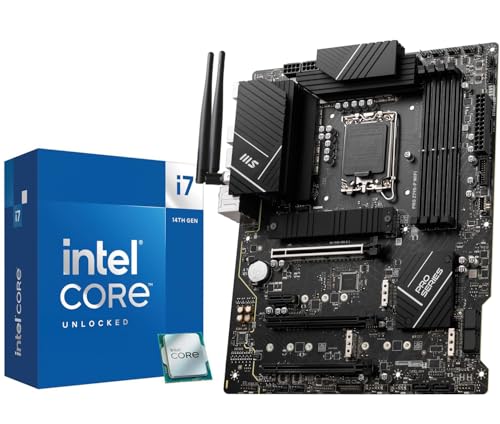
INLAND Micro Center CPU & MSI Z790-P Motherboard i7-14700K
- ✓ Excellent build quality
- ✓ Fast DDR5 support
- ✓ Robust cooling features
- ✕ High price
- ✕ Slightly complex BIOS for beginners
| Processor | Intel Core i7-14700K with 20 cores (8 Performance cores + 12 Efficient cores) and 28 threads, up to 5.6 GHz |
| Motherboard Chipset | Intel Z790 chipset (supporting DDR4 and DDR5, compatible with 600-series and 700-series with BIOS update) |
| Memory Support | Dual Channel DDR5 up to 7000+ MHz (OC) |
| Storage Options | Four PCIe 4.0 M.2 slots, six SATA ports |
| Graphics | Integrated Intel UHD Graphics 770 |
| Expansion Slots | Onboard PCIe 5.0, PCIe 4.0 slots |
The moment I grabbed the MSI Z790-P WIFI motherboard, I immediately noticed its robust build quality. The six-layer 2oz copper PCB feels solid and premium in your hands, promising durability under heavy loads.
Sliding the DDR5 RAM sticks into the dual channel slots was smooth, thanks to the well-designed memory slots. Connecting the PCIe 5.0 and M.2 slots, I appreciated how generously spaced they are, making cable management and upgrades easier.
Powering up with the INLAND Micro Center CPU and the i7-14700K, I was impressed by the system’s responsiveness. The motherboard’s thermal design, including the extended heatsink and M.2 Shield Frozr, kept everything cool even during intensive tasks like gaming or video editing.
The onboard Wi-Fi and USB 3.2 Gen 2×2 ports offer fast data transfer options, which make file transferring and online gaming smooth. The BIOS setup was intuitive, allowing quick adjustments for overclocking or tweaking performance settings.
Overall, this motherboard feels like a reliable, high-performance foundation. It handles demanding workloads seamlessly, making it perfect for gamers and creators alike.
The only hiccup? Its price tag is on the higher side, but you get top-tier features in return.
INLAND by Micro Center CPU Motherboard Intel i7-14700K 14th

- ✓ Durable military-grade components
- ✓ Supports PCIe 5.0 and DDR5
- ✓ Excellent cooling solutions
- ✕ Slightly pricey
- ✕ Requires BIOS update for compatibility
| Processor | Intel Core i7-14700K (14th Gen) with 20 cores (8 Performance cores + 12 Efficiency cores) and 28 threads, up to 5.6 GHz |
| Motherboard Chipset Compatibility | Supports Intel 600-series and 700-series chipsets (with BIOS update) |
| Memory Support | Supports DDR4 and DDR5 RAM modules |
| Integrated Graphics | Intel UHD Graphics 770 |
| Power Delivery | 16+1 DrMOS power stages, ProCool sockets, alloy chokes, durable capacitors |
| Expansion and Connectivity | PCIe 5.0, USB 3.2 Gen2x2 Type-C, Thunderbolt 4 header, M.2 heatsinks |
The moment I plugged in the INLAND by Micro Center motherboard, I was struck by its robust build and sleek design. The black matte finish combined with the reinforced PCIe slots gave it a premium feel right out of the box.
You’ll notice the spacious layout, making cable management a breeze. The six-layer PCB and military-grade components aren’t just for show; they really deliver on stability, especially during intense gaming or heavy multitasking.
The integrated heatsinks keep things cool, even when pushing the CPU close to 5.6 GHz.
Setting up was surprisingly straightforward. The pre-mounted I/O shield and SafeDIMM slots cut down on installation hassle.
Once powered up, the onboard USB-C and Thunderbolt 4 headers made connecting peripherals simple and fast.
The motherboard’s support for PCIe 5.0 and DDR5 (or DDR4 with compatibility) offers future-proofing, and I appreciated the detailed BIOS options for overclocking. The audio quality from the Realtek S1200A codec was crisp, making gaming and media consumption immersive.
The AI noise-canceling mic is a game-changer for streamers or team players.
Overall, this board combines durability, cutting-edge tech, and user-friendly features. It’s a solid choice for anyone wanting to maximize their Intel i7-14700K’s potential without sacrificing reliability.
Sure, it’s priced higher, but the performance and features justify the investment for serious builders.
What Features Should You Prioritize When Choosing a Motherboard for Intel Core i7-12700K?
When choosing a motherboard for the Intel Core i7-12700K, consider the following features:
- Socket Compatibility: Ensure the motherboard has an LGA 1700 socket to support the i7-12700K, as this is specific to the 12th generation Intel processors.
- Chipset Features: Opt for a motherboard with a chipset like Z690 or Z790, which provides enhanced overclocking capabilities, better power management, and support for the latest technology standards.
- RAM Support: Look for motherboards that support DDR4 or DDR5 RAM, with higher speeds and capacities, as this will greatly influence overall system performance.
- Expansion Slots: Prioritize motherboards with multiple PCIe slots for adding GPUs, SSDs, or other expansion cards, enabling better customization and future upgrades.
- Power Delivery Design: A robust power delivery system with high-quality VRMs (Voltage Regulator Modules) is crucial for stable performance, especially during overclocking scenarios.
- Connectivity Options: Check for USB ports (including USB 3.2 and USB-C), Ethernet ports, and Wi-Fi capabilities to ensure ample connectivity for peripherals and networking.
- Storage Options: Ensure compatibility with NVMe SSDs and SATA drives, as well as support for RAID configurations for enhanced data redundancy and speed.
- Cooling Solutions: Look for motherboards with adequate cooling solutions, including heatsinks and fan headers, to maintain optimal temperatures during intense tasks.
- BIOS Features: A user-friendly BIOS with good overclocking tools and frequent updates can greatly enhance the experience and stability of your setup.
What Are the Most Recommended Motherboards for Intel Core i7-12700K?
The best motherboards for the Intel Core i7-12700K offer robust features, excellent power delivery, and support for the latest technologies.
- ASUS ROG Strix Z690-E Gaming WiFi: This motherboard is designed for gamers and enthusiasts, featuring advanced cooling solutions and customizable RGB lighting. It supports PCIe 5.0 and has multiple M.2 slots for fast storage options, making it ideal for high-performance builds.
- MSI MAG B660M Mortar WiFi: A solid choice for those seeking a balance between performance and cost, this micro ATX motherboard supports the necessary features for the i7-12700K. It includes high-quality capacitors and power stages for reliable power delivery, along with integrated WiFi and Bluetooth.
- Gigabyte Z690 AORUS Master: This premium motherboard boasts exceptional thermal design and robust VRM for overclocking capabilities. It also provides extensive connectivity options, including Thunderbolt 4 support, making it suitable for demanding tasks like video editing and gaming.
- ASRock Z690 Taichi: Known for its unique design and solid build quality, the Taichi motherboard features a comprehensive set of I/O ports and supports high-speed memory. It is equipped with a powerful VRM system, ideal for users looking to push their i7-12700K to its limits.
- ASUS Prime Z690-A: A great option for users who want a feature-rich motherboard without breaking the bank, it offers a good balance of performance and aesthetics. With support for PCIe 5.0 and various connectivity options, it is suitable for both gamers and content creators.
- Gigabyte Z690 Vision G: Targeted at creators, this motherboard features a sleek design and optimized layout for easy installation of components. It offers good power delivery and is equipped with multiple USB ports for connecting various peripherals, making it a great choice for creative professionals.
How Do ASUS Motherboards Measure Up for Intel Core i7-12700K?
ASUS motherboards offer a variety of options that are well-suited for the Intel Core i7-12700K processor, providing robust performance and features.
- ASUS ROG Strix Z690-E Gaming WiFi: This motherboard is designed for gamers and enthusiasts, featuring PCIe 5.0 support and advanced cooling solutions.
- ASUS TUF Gaming Z690-Plus WiFi D4: Known for its durability, this motherboard offers a balanced combination of performance and reliability for gaming and productivity.
- ASUS ProArt Z690-Creator WiFi: Tailored for content creators, this motherboard has multiple connectivity options and robust power delivery for demanding applications.
- ASUS ROG Maximus Z690 Hero: A high-end motherboard that provides extensive features including exceptional overclocking support and premium audio capabilities.
- ASUS ROG Strix Z690-I Gaming WiFi: A compact option that packs powerful performance into a mini-ITX form factor, perfect for small builds without sacrificing features.
ASUS ROG Strix Z690-E Gaming WiFi: This motherboard is equipped with PCIe 5.0 slots, allowing for faster graphics cards and storage devices, which is ideal for future-proofing your system. It also features comprehensive cooling solutions, including multiple fan headers and heatsinks, ensuring that your system remains stable during intense gaming sessions.
ASUS TUF Gaming Z690-Plus WiFi D4: This motherboard is built with military-grade components, ensuring long-lasting durability and performance. It supports DDR4 memory, which can provide cost savings while still delivering excellent performance for gaming and multitasking.
ASUS ProArt Z690-Creator WiFi: Designed specifically for creators, this motherboard features Thunderbolt 4 support and multiple USB-C ports for high-speed data transfer. It also includes advanced power delivery systems to support high-performance CPUs and GPUs, making it perfect for video editing and 3D rendering tasks.
ASUS ROG Maximus Z690 Hero: This premium motherboard stands out with its extensive overclocking features, including AI overclocking and robust thermal management. It also offers high-fidelity audio and customizable RGB lighting, enhancing both performance and aesthetics for gamers who want a complete setup.
ASUS ROG Strix Z690-I Gaming WiFi: This mini-ITX motherboard is perfect for compact gaming builds, providing high performance in a smaller footprint. Despite its size, it includes essential features such as WiFi 6 connectivity and ample M.2 slots for fast NVMe storage options, making it versatile for various uses.
What Performance Can You Expect from MSI Motherboards with Intel Core i7-12700K?
MSI motherboards designed for the Intel Core i7-12700K offer excellent performance, catering to gamers and content creators with various features and capabilities.
- MSI MPG Z690 Gaming Edge WiFi: This motherboard provides robust power delivery and overclocking capabilities, making it ideal for high-performance tasks.
- MSI MAG B660M Mortar WiFi: A more budget-friendly option, it still offers solid performance and features suitable for gaming and general use.
- MSI MEG Z690 Godlike: This premium motherboard is designed for enthusiasts, providing top-of-the-line performance and extensive connectivity options.
- MSI PRO Z690-A WiFi: Aimed at professionals, this motherboard combines stability and efficiency, making it great for productivity-focused tasks.
MSI MPG Z690 Gaming Edge WiFi: This motherboard features an advanced thermal design with multiple heatsinks and fan headers, ensuring optimal cooling during intense gaming sessions. It supports PCIe 5.0 for future-proofing and has integrated Wi-Fi 6E for faster wireless connectivity, making it suitable for online gaming and streaming.
MSI MAG B660M Mortar WiFi: The MAG B660M Mortar is compact yet powerful, offering essential features like dual-channel DDR4 memory support and M.2 slots for fast storage solutions. It also includes built-in Wi-Fi 6, ensuring a reliable and high-speed internet connection for a smooth gaming experience.
MSI MEG Z690 Godlike: This high-end motherboard is equipped with an impressive 22-phase power delivery system, which provides unparalleled stability and performance when overclocking the i7-12700K. It also features customizable RGB lighting, extensive connectivity options including Thunderbolt 4, and advanced cooling solutions to maintain peak performance under load.
MSI PRO Z690-A WiFi: Designed with professionals in mind, this motherboard emphasizes reliability and efficiency. It includes a robust set of features like USB 3.2 Gen 2 ports for quick data transfer and a comprehensive cooling solution to keep the system stable during demanding tasks.
Why Are Gigabyte Motherboards Compatible with Intel Core i7-12700K a Good Choice?
Gigabyte motherboards are compatible with the Intel Core i7-12700K because they are designed to support the LGA 1700 socket and the latest chipset architectures, which optimize performance and connectivity for high-demand CPUs.
According to a review by Tom’s Hardware, the i7-12700K, part of Intel’s Alder Lake series, benefits from motherboards that utilize the Z690 chipset, providing features such as PCIe 5.0 support and DDR5 memory compatibility, both of which are crucial for maximizing the CPU’s performance potential.
The underlying mechanism of this compatibility lies in the motherboard’s ability to facilitate efficient communication between the CPU and other system components. Gigabyte motherboards often include advanced power delivery systems and thermal management technologies, which ensure that the i7-12700K operates within its optimal thermal and power limits. This is particularly important given the hybrid architecture of Alder Lake, which combines Performance and Efficiency cores, requiring a motherboard that can manage varied workloads effectively.
Furthermore, Gigabyte integrates features such as robust BIOS support and extensive connectivity options, including multiple M.2 slots and USB 3.2 ports. These enhancements allow users to fully leverage the capabilities of the i7-12700K, ensuring that high-speed data transfer and efficient multitasking can occur seamlessly. Such features are critical for gamers and content creators who rely on high performance and low latency.
What Are the Advantages of Using High-End Motherboards with Intel Core i7-12700K?
- Enhanced Power Delivery: High-end motherboards usually feature robust power delivery systems with premium VRMs (Voltage Regulator Modules), which provide stable and efficient power to the CPU, especially during overclocking. This ensures that the i7-12700K can perform at its highest potential without throttling due to power constraints.
- Advanced Cooling Solutions: These motherboards often come with superior cooling solutions, including larger heatsinks and dedicated cooling headers for additional fans or liquid cooling systems. This helps maintain optimal operating temperatures, prolonging the lifespan of components and ensuring consistent performance during heavy workloads.
- Expanded Connectivity Options: High-end motherboards typically offer more connectivity options, such as multiple PCIe slots, USB 3.2 Gen 2 ports, and M.2 slots for NVMe SSDs. This facilitates the installation of additional GPUs, faster storage solutions, and other peripherals, making the setup more versatile and future-proof.
- Improved Audio Quality: Many premium motherboards feature high-quality onboard audio solutions with better DACs (Digital-to-Analog Converters) and dedicated audio capacitors. This results in superior sound quality for gaming, music, and video playback, enhancing the overall multimedia experience.
- Robust Build Quality: High-end motherboards are often built with superior materials and construction techniques, which can lead to increased durability and reliability. Features like reinforced PCIe slots and solid capacitors contribute to a longer lifespan, even under demanding conditions.
- Comprehensive BIOS Features: These motherboards come equipped with advanced BIOS options that allow for extensive customization of settings such as overclocking parameters, fan controls, and system monitoring. This flexibility enables users to fine-tune their systems for optimal performance tailored to their specific needs.
- Support for Latest Technologies: High-end motherboards are typically designed to support the latest technologies, such as DDR5 RAM, Wi-Fi 6E, and 10 Gb Ethernet. This ensures that users can take advantage of the highest speeds and latest features available in the market.
How Do You Determine the Best Form Factor for Motherboards when Using Intel Core i7-12700K?
When selecting the best form factor for motherboards to pair with the Intel Core i7-12700K, several factors come into play.
- ATX: The ATX form factor is the most common and widely supported option, offering ample space for expansion cards, RAM slots, and cooling solutions.
- Micro ATX: Micro ATX boards are a more compact alternative that still provide a good balance of features and expandability, making them suitable for smaller cases.
- Mini ITX: Mini ITX motherboards are the smallest form factor, ideal for ultra-compact builds, but they often have limited expansion options and fewer features compared to larger boards.
- Extended ATX (E-ATX): E-ATX motherboards are larger than standard ATX boards, accommodating more components and features, which is beneficial for high-performance builds.
- Flex ATX: Designed for space-constrained environments, Flex ATX motherboards are smaller than Micro ATX but can still provide essential features for basic builds.
The ATX form factor is favored for its versatility, allowing room for multiple GPUs and extensive cooling options. It typically comes with more RAM slots, making it suitable for users who want to maximize performance and upgrade potential.
Micro ATX motherboards provide a good compromise by offering enough slots for expansion while fitting into smaller cases, making them ideal for budget builds or systems with limited space. They generally support a decent amount of RAM and PCIe slots without being too bulky.
Mini ITX boards are perfect for users looking to build a compact system, such as a home theater PC or a portable gaming rig. However, the limited space means fewer expansion slots and generally less robust power delivery, which can be a drawback for high-performance components.
Extended ATX (E-ATX) motherboards cater to enthusiasts and professionals who require maximum connectivity and performance. They often come equipped with additional PCIe slots, more RAM slots, and advanced cooling solutions, making them suitable for high-end gaming or workstation setups.
Flex ATX is designed for unique cases where space is at a premium. While they are not as common for high-performance builds, they can be utilized in compact desktop systems where only basic features are needed.
Related Post: