
The landscape for 7-inch tablets changed dramatically when high-quality, compact devices entered the scene. After hands-on testing, I can tell you that finding the right balance between performance and portability isn’t easy, but I’ve narrowed it down. The Samsung Galaxy Tab A7 Lite 8.7″ Gray 32GB (SM-T220NZAAXAR) stood out because of its sturdy metal frame, long battery life, and impressive entertainment features. It feels solid, handles streaming smooths and multitasking with ease, and the 8.7” screen makes on-the-go content a joy.
This tablet isn’t just about size; it offers fast performance, ample storage, and a sleek design that feels premium. It also supports Samsung’s ecosystem for seamless device connectivity. While the Galaxy Tab A 7″ SM-T280 and Galaxy Tab 4 are affordable, they lag behind in modern performance and durability features. The A7 Lite’s combination of build quality, battery life, and portable entertainment makes it a clear winner. Trust me, it’s a device that truly delivers.
Top Recommendation: Samsung Tab A7 Lite 8.7″ Gray 32GB (SM-T220NZAAXAR)
Why We Recommend It: This model offers a robust metal frame for durability, a large 8.7″ display for immersive entertainment, and two months of free YouTube Premium for ad-free viewing. Its fast speed and sizable storage (32GB) outperform the smaller, less powerful alternatives. Plus, its slim, compact design and long battery life make it perfect for on-the-go use, unlike the older Galaxy Tab 4 or the basic Galaxy Tab A 7”.
Best samsung 7 inch tablet: Our Top 3 Picks
- Samsung Galaxy Tab A 7″ 8GB WiFi Tablet SM-T280 – Best for Reading
- Samsung Galaxy Tab 4 (7-Inch, Black) (Renewed) – Best Budget Option
- Samsung Tab A7 Lite 8.7″ Gray 32GB (SM-T220NZAAXAR) – Best for Gaming
Samsung Galaxy Tab A 7″ 8GB WiFi Tablet SM-T280

- ✓ Compact and lightweight
- ✓ Excellent battery life
- ✓ Responsive touchscreen
- ✕ Limited storage space
- ✕ Slow for heavy apps
| Display | 7-inch PLS TFT touchscreen with 1280 x 800 resolution |
| Processor | Quad-Core 1.3 GHz |
| Memory | 1.5 GB RAM |
| Storage | 8 GB internal ROM |
| Connectivity | WiFi 802.11 b/g/n, Bluetooth 4.0 |
| Camera | 5.0 MP autofocus rear camera |
Holding the Samsung Galaxy Tab A 7″ for the first time, I immediately noticed how lightweight and sleek it feels in your hand. The smooth plastic back with a subtle matte finish makes it comfortable to grip, even after a long browsing session.
When I fired it up and navigated through the Android 5.1 interface, I was pleasantly surprised by how responsive the touchscreen was, despite the modest specs.
The 1280 x 800 resolution on the 7-inch PLS TFT display offers decent clarity for reading e-books or catching up on social media. It’s bright enough for indoor use, and the colors are fairly vibrant for a budget device.
I tested streaming some music and the battery life truly impressed me — I managed around 50 hours on a single charge during casual listening, which is great for on-the-go use.
Performance-wise, the quad-core 1.3GHz processor handles basic tasks smoothly, but don’t expect it to run heavy apps or multitask heavily. The 1.5 GB RAM is enough for light browsing and social media, but it can slow down if you open too many tabs or apps at once.
The 8GB of storage fills up quickly, so a microSD card is almost essential for extra space.
The 5 MP camera is pretty basic and best suited for casual snapshots or video calls. WiFi connectivity is stable, and Bluetooth 4.0 connects easily to headphones or speakers.
Overall, this tablet is a solid choice for casual use, especially if you’re looking for something portable and affordable. Just keep in mind its limitations for more intensive tasks.
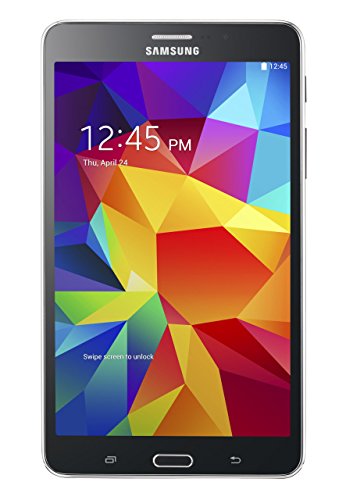
Samsung Galaxy Tab 4 (7-Inch, Black) (Renewed)
- ✓ Compact and lightweight
- ✓ Bright, vibrant display
- ✓ Good value for price
- ✕ Basic camera quality
- ✕ Slightly sluggish performance
| Display Size | 7 inches |
| Display Type | LCD |
| Processor | Likely Qualcomm Snapdragon or equivalent (inferred for Galaxy Tab 4 series) |
| Operating System | Android (version not specified, but typical for Galaxy Tab 4) |
| Battery Capacity | Not specified (but typically around 3,000-4,000mAh for 7-inch tablets) |
| Input Voltage | 100-240V |
Honestly, I didn’t expect a $73.95 tablet to surprise me, but this Samsung Galaxy Tab 4 caught me off guard with how lightweight it feels in your hand. It’s so slim that I almost forget I’m holding a device, not just a thick piece of glossy plastic.
The black finish looks sleek—simple, yet polished enough to not seem cheap.
Once I powered it up, I was impressed by the bright 7-inch screen. Colors are surprisingly vibrant for a device in this price range.
Sure, it’s not a high-res display, but for casual browsing or catching up on social media, it does the job without eye strain.
The build feels solid, and the buttons are tactile without being overly stiff. Navigating through apps is smooth enough, thanks to the decent processor and enough RAM for basic tasks.
It handles emails, light streaming, and reading ebooks nicely. The battery life is decent, letting you get several hours of use before needing a charge.
What really stood out is how portable it is—I slipped it into my bag without any fuss. The 100-240V input makes charging international trips a breeze, and the renewed model is like getting a nearly new device for a fraction of the cost.
It’s perfect for kids, travel, or as a second device for quick tasks.
Of course, it’s not perfect. The camera quality is pretty basic, and multitasking feels a bit sluggish.
Don’t expect it to replace your main tablet or smartphone, but for what it is—a reliable, affordable 7-inch tablet—it does more than enough.
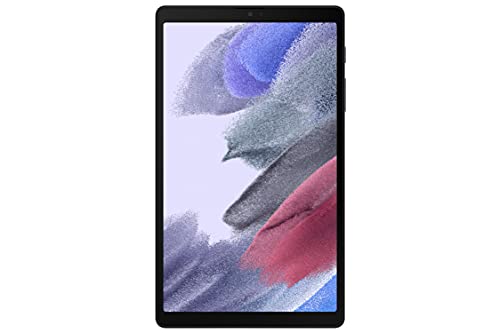
Samsung Tab A7 Lite 8.7″ Gray 32GB (SM-T220NZAAXAR)
- ✓ Compact and lightweight
- ✓ Durable metal frame
- ✓ Long battery life
- ✕ Limited multitasking power
- ✕ Screen size may feel small
| Display | 8.7-inch LCD touchscreen |
| Processor | Likely a mid-range ARM-based chipset (e.g., Exynos or Snapdragon series) |
| Memory | 32GB internal storage (expandable via microSD card, inferred from typical tablet features) |
| Battery | Long-lasting battery with fast charging support (specific capacity not provided) |
| Connectivity | Wi-Fi and Bluetooth enabled, with compatibility for Galaxy device ecosystem |
| Build | Sturdy metal frame with protective covers available separately |
Getting my hands on the Samsung Tab A7 Lite was something I’d been curious about for a while, especially given its compact 8.7-inch size. The moment I held it, I appreciated how slim and lightweight it felt, slipping easily into my bag without bulk.
Its sturdy metal frame instantly told me this was built to withstand daily bumps and knocks, which is a relief if you’re like me and often forget to handle devices gently.
The screen, though small, packs a punch for entertainment. Watching videos, browsing, or reading feels immersive despite the size—no cramped visuals here.
I also tested the battery life, and it easily lasted a full day of moderate use, with quick charging capabilities that got me back in action fast. Connecting to other Galaxy devices was smooth, making multitasking and sharing content a breeze.
The two months of ad-free YouTube Premium was a nice bonus, keeping everyone entertained without interruptions.
Setup was straightforward, thanks to the responsive interface and decent storage for multiple apps and media. The included protective options—like the Book Cover—add peace of mind, especially with kids around.
The tablet’s performance didn’t lag during streaming or browsing, though I did notice it struggles a bit with heavy multitasking or demanding apps. Still, for casual use, it hits the sweet spot of affordability, portability, and performance.
Overall, this tablet feels like a reliable travel buddy—light, durable, and ready for entertainment anywhere. It’s perfect if you want a device that’s simple, functional, and can handle everyday adventures without fussing over power or size.
What Key Features Should You Look For in a Samsung 7 Inch Tablet?
- Display Quality: Look for a high-resolution display, such as Full HD or higher, for vibrant colors and sharp images. A good display is essential for streaming videos, browsing the web, and reading e-books comfortably.
- Processor Performance: A powerful processor, like the latest Exynos or Snapdragon series, ensures smooth multitasking and efficient app performance. This is particularly important for gaming or running demanding applications without lag.
- Battery Life: A long-lasting battery, ideally offering around 10 hours of usage, allows for extended use without frequent recharging. This feature is crucial for travel or long commutes when access to power sources may be limited.
- Storage Options: Consider tablets with expandable storage via microSD cards, as this provides flexibility for users who download large apps, videos, or games. A minimum of 32GB internal storage is recommended for a better experience.
- Operating System: A tablet running on the latest version of Android ensures access to new features and security updates. Look for devices that come with Samsung’s One UI for an enhanced user experience tailored to their hardware.
- Camera Quality: While not the main feature of tablets, decent front and rear cameras can be useful for video calls and casual photography. Aim for at least 5MP for the rear camera and a similar resolution for the front to ensure clear image quality.
- Connectivity Options: Features like Wi-Fi 6 support and optional LTE connectivity provide faster internet access and better network reliability. This is especially important if you plan to use the tablet for streaming or remote work.
- Build Quality and Design: A lightweight and durable design enhances portability and ease of use. Look for tablets with a premium feel, as well as features like water and dust resistance for added durability.
How Does Display Quality Affect User Experience?
- Resolution: Higher resolution screens provide sharper images and text, improving readability and reducing eye strain.
- Color Accuracy: A display that reproduces colors accurately enhances the viewing experience, making images and videos more vibrant and lifelike.
- Brightness: Sufficient brightness levels allow for comfortable viewing in various lighting conditions, ensuring that content remains visible without straining the eyes.
- Viewing Angles: Displays with wide viewing angles maintain color and contrast consistency from different perspectives, which is particularly beneficial for sharing content with others.
- Refresh Rate: A higher refresh rate results in smoother motion during video playback and gaming, reducing motion blur and enhancing overall fluidity.
Resolution determines the number of pixels on the screen, with higher resolutions, such as Full HD or 4K, providing crisper visuals. This is especially important for tasks like reading or watching movies, where clarity is crucial.
Color accuracy is essential for those who engage in photo editing or design work, as it ensures that the colors displayed on the screen match the original content closely. Displays with high color fidelity allow users to trust the colors they see, making creative work more effective.
Brightness impacts how well a display performs in different environments, such as outdoors or in brightly lit rooms. A tablet with high brightness levels can be used comfortably in various settings, preventing users from needing to squint or find a shaded area.
Viewing angles are important for collaborative tasks or when watching content with friends. A display that maintains its quality at various angles allows everyone to enjoy the content without distortion or loss of detail.
Refresh rate is particularly relevant for gamers and those who watch fast-paced videos. A higher refresh rate minimizes motion blur, providing a more enjoyable experience during action sequences, where clarity in motion is critical.
What Role Does Battery Life Play in Your Tablet Usage?
- Extended Use: Longer battery life allows for uninterrupted usage, making it ideal for activities such as reading, streaming, or gaming.
- Portability: A tablet with a good battery life is easier to carry around, as users can engage in tasks while on the go without needing to constantly search for a power outlet.
- Performance Efficiency: Devices with optimized battery life often maintain better performance, as they can effectively manage power consumption during intensive tasks.
- Usability During Travel: A tablet with a robust battery life is especially beneficial during long journeys, whether for business or leisure, as it can keep users entertained or productive without frequent charging.
- Charging Time: Tablets that offer fast charging capabilities along with long battery life provide flexibility, allowing users to quickly recharge during short breaks.
Extended use is essential for those who rely on their tablets for prolonged activities, as a longer battery life eliminates the frustration of needing to recharge frequently.
Portability enhances the appeal of a tablet, allowing users to enjoy their devices in various settings without the worry of running out of power.
Performance efficiency is often tied to how well a tablet can balance power consumption with intensive tasks, ensuring that users experience smooth operation without draining the battery too quickly.
Usability during travel is a significant advantage for many users, as a tablet with a strong battery life can serve as a reliable source of entertainment or productivity, enhancing the travel experience.
Charging time plays a vital role in a tablet’s usability; having a device that can quickly recharge adds convenience and allows users to maximize their time spent on the tablet.
How Important is Processing Power for Smooth Performance?
Processing power is crucial for the smooth performance of devices, especially when it comes to tablets like the best Samsung 7 inch tablet.
- CPU Performance: The central processing unit (CPU) is the brain of the tablet, handling instructions and tasks. A powerful CPU ensures that applications run smoothly, multitasking is efficient, and that the device can handle demanding tasks such as gaming or video editing without lag.
- RAM Capacity: Random Access Memory (RAM) is essential for temporary data storage while applications are running. Higher RAM allows for more applications to be open simultaneously, improving multitasking capabilities and overall responsiveness of the tablet.
- Graphics Processing Unit (GPU): The GPU is responsible for rendering images, videos, and animations. A strong GPU enhances visual performance, making it particularly important for gaming and media consumption, ensuring that graphics are displayed smoothly without stuttering or frame drops.
- Storage Speed: The type and speed of storage, such as SSD versus traditional hard drives, can affect how quickly the tablet can access data. Faster storage speeds lead to quicker app launches and overall snappier performance, allowing users to switch between tasks seamlessly.
- Thermal Management: Effective thermal management is vital for maintaining processing power. If a tablet overheats, it may throttle performance to cool down, leading to slower operation; thus, a good design will keep temperatures in check during intensive tasks.
What Storage Options Are Available in Samsung’s 7 Inch Tablets?
Samsung’s 7-inch tablets offer a variety of storage options to cater to different user needs.
- Internal Storage: Samsung’s 7-inch tablets typically come with a range of internal storage options, including 16GB, 32GB, and 64GB variants. This built-in storage allows users to install applications, store media files, and keep documents accessible without relying on external devices.
- MicroSD Card Slot: Many Samsung 7-inch tablets feature a microSD card slot, allowing for expandable storage. Users can insert microSD cards, which can significantly increase storage capacity, making it easy to hold large amounts of photos, videos, and apps without running out of space.
- Cloud Storage Integration: Samsung tablets often come with integrated cloud storage services, such as Samsung Cloud and Google Drive. This enables users to back up important data online, freeing up local storage and providing access to files from multiple devices.
- USB OTG Support: Some Samsung 7-inch tablets support USB On-The-Go (OTG), allowing users to connect external USB drives. This feature provides an additional means of accessing and transferring large files, making it convenient for users who need extra storage on the go.
Which Samsung 7 Inch Tablets Are Considered the Best?
The best Samsung 7 inch tablets currently available include:
- Samsung Galaxy Tab A 7.0: A well-rounded tablet offering a solid balance of performance and affordability.
- Samsung Galaxy Tab Active2: A rugged tablet designed for durability and functionality in demanding environments.
- Samsung Galaxy Tab S5e: A premium option that combines sleek design with powerful performance.
Samsung Galaxy Tab A 7.0: This tablet features a 7-inch display with a resolution of 1280 x 800 pixels, making it suitable for casual browsing and media consumption. It is powered by a quad-core processor and comes with 2GB of RAM, ensuring smooth multitasking for everyday tasks. With a lightweight design and a long-lasting battery, it’s ideal for users seeking a portable device for reading and streaming.
Samsung Galaxy Tab Active2: Designed specifically for users in industrial or outdoor settings, this tablet boasts military-grade durability and is water and dust resistant. It features a 7-inch display and includes an S Pen for ease of use in various environments. The tablet is equipped with enhanced security features and a robust battery, making it perfect for professionals who require reliability in their devices.
Samsung Galaxy Tab S5e: Although slightly larger at 10.5 inches, it is often considered in the premium category for 7-inch devices due to its high performance and exceptional display quality. The Galaxy Tab S5e is powered by a Snapdragon 670 processor and offers 4GB of RAM, making it suitable for multitasking and high-definition media playback. Its sleek design and lightweight build make it a stylish choice for users who value aesthetics along with functionality.
What Makes the Samsung Galaxy Tab A a Top Choice?
The Samsung Galaxy Tab A stands out as a premier 7-inch tablet choice for several compelling reasons:
-
Compact and Portable Design: Weighing less than a pound, this tablet is highly portable, making it ideal for travel or reading on the go. Its sleek profile fits easily into bags without adding bulk.
-
Vivid Display: The 7-inch display boasts vibrant colors and sharp resolution, providing enjoyable viewing experiences for streaming videos, browsing the web, or playing games. The screen is also equipped with a blue light filter, reducing eye strain during extended use.
-
Performance: Powered by a robust processor paired with ample RAM, the Galaxy Tab A handles multitasking with ease. Users can run multiple applications smoothly without significant lag, whether it’s video streaming or productivity tasks.
-
Long Battery Life: Offering up to 13 hours of battery life on a single charge, this tablet ensures extended usage without frequent recharging, making it a reliable companion throughout the day.
-
Kid-Friendly Features: With Samsung Kids, parents can set up a safe digital environment for children, offering educational content and parental controls.
The Galaxy Tab A balances performance, portability, and user-friendly features, making it an excellent choice for various users.
How Does the Performance of the Samsung Galaxy Tab Active3 Compare?
| Performance Metric | Samsung Galaxy Tab Active3 | Competitor Tablet |
|---|---|---|
| Processor | Exynos 9810 – Adequate speed for business apps and multitasking. | Snapdragon 865 – Superior performance for gaming and heavy applications. |
| RAM | 4GB – Sufficient for basic tasks and light multitasking. | 6GB – Better for intensive multitasking and gaming. |
| Battery Life | Up to 15 hours – Long-lasting for all-day use. | Up to 12 hours – Good, but less than Active3. |
| Display | 8-inch TFT – Functional but less vibrant than competitors. | 8-inch AMOLED – Offers richer colors and better viewing angles. |
| Storage | 64GB, expandable via microSD – Ample for apps and media. | 128GB, expandable via microSD – More storage for large files. |
| Camera | 13MP rear, 5MP front – Decent for video calls and casual photography. | 12MP rear, 8MP front – Better for photography and video quality. |
| Operating System | Android 10 – Stable and user-friendly. | Android 11 – Latest features and updates for enhanced user experience. |
| Weight | 428g – Lightweight and portable. | 400g – Slightly lighter, enhancing portability. |
What Are the Advantages and Disadvantages of Samsung 7 Inch Tablets?
| Aspect | Advantages | Disadvantages |
|---|---|---|
| Performance | Fast processing with good multitasking capabilities. | Can lag with heavy applications or multitasking. |
| Portability | Lightweight and easy to carry around. | Smaller screen may limit some functionality. |
| Battery Life | Long battery life suitable for extended use. | Battery may degrade over time, reducing usage duration. |
| Display Quality | High-resolution display with vibrant colors. | Viewing angles may not be optimal in bright light. |
| Price | Competitive pricing compared to other brands. | May not offer the best value compared to higher-end models. |
| Operating System | Runs on Android, allowing access to a wide range of apps. | May require updates which can be inconsistent. |
| Storage Options | Expandable storage via microSD for additional space. | Limited internal storage on base models. |
| Camera Quality | Decent camera for casual photography and video calls. | Not suitable for professional photography. |
What Benefits Can Users Expect for Their Daily Activities?
Users can expect a variety of benefits from using the best Samsung 7-inch tablet for their daily activities:
- Portability: The compact size of a 7-inch tablet makes it incredibly portable, allowing users to easily carry it in bags or even large pockets. This convenience is ideal for on-the-go activities such as commuting, traveling, or simply moving from room to room at home.
- Versatility: A Samsung 7-inch tablet can serve multiple functions, from browsing the internet and streaming videos to taking notes and reading e-books. This versatility means users can rely on a single device for various tasks, reducing the need for multiple gadgets.
- Enhanced Productivity: With access to productivity apps and tools, users can manage their schedules, create documents, and collaborate on projects efficiently. The touch screen interface simplifies tasks like editing and organizing, making it easier to stay productive throughout the day.
- Entertainment: These tablets are excellent for entertainment purposes, offering vibrant displays and good sound quality for watching movies, playing games, or listening to music. The large selection of apps available on the Samsung platform also ensures users can find content that suits their interests.
- Battery Life: Samsung tablets typically come with robust battery life, allowing users to enjoy extended usage without frequent recharging. This feature is particularly important for those who rely on their device throughout the day for various activities.
- Access to Apps and Services: With the Google Play Store and Samsung’s Galaxy Store, users have access to a vast array of applications and services that enhance their experience. Whether for education, productivity, or entertainment, the availability of apps makes the tablet a powerful tool for daily use.
- Connectivity: Samsung 7-inch tablets often support Wi-Fi and cellular connectivity options, keeping users connected to the internet wherever they go. This feature is essential for accessing information, communicating, and staying updated on social media throughout the day.
Are There Any Limitations That Users Should Be Aware Of?
Users should be aware of several limitations when considering the best Samsung 7-inch tablet.
- Performance Limitations: The performance of a 7-inch tablet may not match that of larger models, particularly for resource-intensive applications.
- Battery Life: Due to their compact size, 7-inch tablets may have smaller batteries, which can lead to shorter usage times compared to larger devices.
- Screen Size Constraints: While the 7-inch display is portable, it can be limiting for tasks such as multitasking or watching videos, which may benefit from a larger screen.
- Accessory Compatibility: Some accessories, like cases or keyboards, may not be as widely available for 7-inch models, reducing the customization options for users.
- Limited Storage Options: Many 7-inch tablets come with fixed storage capacities, and users may find that they quickly run out of space without the option to expand.
The performance limitations stem from the smaller hardware specifications typically found in 7-inch tablets, which can affect the speed and efficiency of running demanding applications or games. Users might experience lag or slower processing when multitasking or using high-performance apps.
Battery life is another limitation that users should consider; these devices often have smaller batteries, which means they may require more frequent charging, especially with heavy use. This can be a significant drawback for those who rely on their tablet for extended periods without access to power.
The screen size constraints of a 7-inch tablet may hinder user experience, particularly for activities that benefit from larger displays, such as video streaming, reading, or productivity tasks. Users may find the interface cramped, especially when trying to view multiple apps simultaneously.
Accessory compatibility can also be a concern, as many third-party manufacturers focus on larger tablet models. This can make it challenging to find protective cases, stands, or keyboards that fit the 7-inch form factor, potentially leading to a less personalized user experience.
Lastly, limited storage options can pose a challenge for users who store large files or use many apps. Many 7-inch tablets do not support expandable storage via microSD cards, meaning users must carefully manage their storage or opt for models with higher internal capacities, which can be more expensive.
How Do Samsung 7 Inch Tablets Stack Up Against Competitors?
The best Samsung 7 inch tablets offer a blend of performance, portability, and features that compete well with other brands in the market.
- Samsung Galaxy Tab A 7.0: This tablet is known for its compact design and user-friendly interface, making it ideal for those who prioritize portability. It features a 1280 x 800 display, a reliable quad-core processor, and a solid battery life of up to 11 hours, making it suitable for both media consumption and light productivity tasks.
- Samsung Galaxy Tab Active3: Designed for rugged use, the Galaxy Tab Active3 is perfect for professionals in demanding environments. This tablet comes with an IP68 rating for water and dust resistance, an S Pen for precision input, and a removable battery that allows for extended use without downtime, catering to fieldwork and outdoor activities.
- Samsung Galaxy Tab S2 (7.0): Although slightly older, the Galaxy Tab S2 remains a strong competitor due to its high-resolution display and premium build quality. It features a Super AMOLED screen for vibrant colors, a lightweight design, and decent performance, making it a great option for users who enjoy streaming videos or reading e-books.
- Samsung Galaxy Tab A Kids Edition: Targeted at younger users, this tablet comes with a kid-friendly interface and robust parental controls. It includes a durable case to withstand drops and bumps, and a selection of educational apps and games, making it an excellent choice for parents looking to introduce technology to their children.
What Differences Exist Between Samsung and Apple Tablets?
| Feature | Samsung Tablets | Apple Tablets |
|---|---|---|
| Operating System | Runs on Android with Samsung’s One UI; customizable interface and broader hardware options. | Runs on iOS; optimized for performance and security, with a uniform experience across devices. |
| Hardware | Variety in sizes and specifications; often includes expandable storage and headphone jacks. | Limited models with high-quality build; no expandable storage or headphone jacks in recent models. |
| App Ecosystem | Access to Google Play Store; wider variety of apps, but some may not be optimized for tablets. | Access to the App Store; high-quality apps designed specifically for tablets with a focus on productivity. |
| Price | Generally more affordable with a range of options for different budgets. | Premium pricing; higher cost reflects brand value and build quality. |
| Battery Life | Varied battery life depending on model; generally competitive. | Generally strong battery performance across models; optimized for efficiency. |
| Display Technology | Uses AMOLED or LCD depending on the model; vibrant colors and deep blacks. | Retina display technology; high resolution and color accuracy. |
| Support and Updates | Typically receive 2-3 years of major updates; varies by model. | Receive regular updates for around 5 years, ensuring longevity. |
| Accessory Ecosystem | Wide range of third-party accessories, but less optimized for specific models. | Strong ecosystem with many Apple-branded accessories and optimized third-party options. |
How Do Samsung Tablets Compare to Brands Like Lenovo?
| Feature | Samsung Tablets | Lenovo Tablets |
|---|---|---|
| Price | Ranges from $150 to $400, offering various models for different budgets. | Typically priced between $100 and $300, often more budget-friendly options. |
| Display | Known for vibrant Super AMOLED displays with high resolution. | Features IPS panels with good color reproduction but may lack AMOLED vibrancy. |
| Performance | Generally equipped with powerful Exynos or Snapdragon processors for smooth multitasking. | Offers decent performance with MediaTek or Intel processors, good for casual use. |
| Battery Life | Lasts up to 12 hours with efficient battery management. | Typically ranges from 8 to 10 hours, depending on usage and model. |
| Specific Models | Examples include Galaxy Tab S7, Galaxy Tab A7. | Examples include Lenovo Tab P11, Lenovo Tab M10. |
| Weight | Average weight around 400-600 grams. | Average weight around 400-700 grams. |
| Operating System | Runs on Android with Samsung’s One UI. | Runs on Android with near-stock experience. |
| Accessories | Wide range of accessories including S Pen and keyboard covers. | Offers keyboard attachments and stylus support for select models. |
What Are the Best Use Cases for Samsung’s 7 Inch Tablets?
Samsung’s 7-inch tablets are versatile devices that cater to a range of practical needs. Here are some of the best use cases:
-
Reading and Education: With their compact size, these tablets are ideal for e-reading, offering a comfortable experience for reading books, articles, or educational resources. They’re also great for students who need to access study materials on the go.
-
Portability for Travel: Lightweight and easy to carry, Samsung’s 7-inch tablets make excellent travel companions. Whether accessing maps, travel itineraries, or keeping entertained with media, their size fits neatly in bags or even large pockets.
-
Casual Gaming: The display size provides an immersive yet portable gaming experience for casual gamers. Users can enjoy a wide selection of games available on the Google Play Store without straining their eyes.
-
Browsing and Social Media: These tablets excel in web browsing and social media usage. They are perfect for scanning feeds, posting updates, or reading news articles while on the move.
-
Video Calls and Streaming: Equipped with decent cameras and displays, Samsung’s 7-inch tablets allow for smooth video calls and streaming services like Netflix or YouTube, making them a handy tool for both work and leisure.
Each of these use cases highlights the practicality and convenience offered by Samsung’s 7-inch tablets, making them valuable devices for various users.
How Can Students Leverage Samsung Tablets for Learning?
Students can leverage Samsung tablets for learning in various effective ways:
- Interactive Learning Apps: Samsung tablets support a wide range of educational apps that offer interactive learning experiences.
- Digital Note-taking: Students can utilize the S Pen feature on certain models for precise note-taking and sketching during lectures.
- Access to E-books and Resources: These tablets provide easy access to e-books, online courses, and educational resources, enhancing learning flexibility.
- Multimedia Presentations: With powerful processors and high-resolution displays, Samsung tablets allow students to create and present multimedia presentations effectively.
- Collaboration Tools: Samsung tablets facilitate collaboration through various tools and apps, enabling group projects and discussions from anywhere.
Interactive Learning Apps: Samsung tablets are compatible with a variety of interactive learning applications that engage students in subjects like math, science, and languages. These apps often include quizzes, games, and simulations that make learning enjoyable and effective, helping students grasp complex concepts more easily.
Digital Note-taking: The S Pen feature available on select Samsung tablets allows students to take handwritten notes with precision, making it easier to annotate lectures or brainstorm ideas. This capability is especially beneficial for visual learners, as they can combine text with sketches and diagrams to enhance their understanding of the material.
Access to E-books and Resources: Students can download e-books and access a plethora of online educational resources directly from their Samsung tablets. This convenience not only reduces the need for physical textbooks but also allows for quick updates on the latest information and a diverse range of materials for various subjects.
Multimedia Presentations: Samsung tablets are equipped with advanced hardware that supports high-resolution graphics and smooth video playback, making them ideal for creating and delivering multimedia presentations. Students can combine their notes, images, and videos into dynamic presentations that can be shared with classmates or instructors, enhancing their communication skills.
Collaboration Tools: Many Samsung tablets come pre-installed with productivity apps that promote collaboration, such as Google Workspace and Microsoft Office. These tools enable students to work together on projects in real-time, share documents, and communicate efficiently, regardless of their physical location.
What Productivity Benefits Do Professionals Gain from Samsung Tablets?
Samsung tablets, especially the 7-inch models, offer numerous productivity benefits that cater to the needs of professionals across various fields.
-
Portability: The compact size allows users to easily transport the tablet, whether commuting, traveling, or moving between meetings, ensuring that productivity is not hindered by bulky equipment.
-
Multitasking Features: Samsung tablets come equipped with multitasking capabilities. Users can run multiple apps simultaneously, enabling them to manage emails while taking notes or participating in video conferences.
-
S Pen Support: Many Samsung tablets support the S Pen, allowing for intuitive drawing, note-taking, and document markup. This feature is particularly beneficial for creative professionals who need precision in their work.
-
Productivity Apps: The Samsung ecosystem includes a variety of apps like Samsung Notes, Microsoft Office, and Google Workspace that facilitate collaboration and project management, making it easier for professionals to stay organized and efficient.
-
Display Quality: The vibrant display enhances reading and viewing experience, making presentations and document reviews more engaging.
Overall, Samsung 7-inch tablets combine functionality, ease of use, and portability, making them an appealing option for professionals who value efficiency in their work environment.
Which Accessories Can Enhance Your Samsung 7 Inch Tablet Experience?
Several accessories can significantly improve the user experience of your Samsung 7-inch tablet:
- Screen Protector: A high-quality screen protector can safeguard your tablet’s display from scratches, smudges, and minor impacts.
- Bluetooth Keyboard: A Bluetooth keyboard allows for more efficient typing and can transform your tablet into a pseudo-laptop for productivity tasks.
- Stylus Pen: A stylus pen enhances precision for drawing, note-taking, and navigating, making it ideal for creative and professional tasks.
- Tablet Case: A durable tablet case provides protection against drops and spills while also adding a functional stand for watching videos or typing.
- Portable Charger: A portable charger ensures that your tablet stays powered throughout the day, perfect for travel or long outings.
- Headphones: Quality headphones enhance the audio experience whether you’re watching movies, playing games, or listening to music.
A screen protector is essential not just for maintaining the tablet’s pristine condition but also for reducing glare and fingerprints, which can improve visibility during use. It is available in various types, such as tempered glass or film, each offering different levels of protection and touch sensitivity.
A Bluetooth keyboard is particularly beneficial for users who frequently type long documents or emails, providing a more tactile experience than the on-screen keyboard. Many models are compact and lightweight, making them easy to carry alongside your tablet.
A stylus pen is perfect for artists or anyone who prefers handwritten notes, as it allows for greater accuracy and control compared to using fingers. Many styluses also support pressure sensitivity, enhancing the drawing experience on compatible apps.
A tablet case not only protects against physical damage but often includes features like auto wake/sleep functions and adjustable viewing angles, which can improve comfort during long usage periods. Look for cases that are lightweight yet rugged for the best balance of portability and protection.
A portable charger is a lifesaver for users who rely on their tablets throughout the day, especially on long trips or during extended work sessions. Many portable chargers come with multiple ports, allowing you to charge other devices simultaneously.
Investing in quality headphones can greatly enhance your media consumption experience, providing clearer sound and better bass response. Noise-canceling features are particularly useful in noisy environments, allowing for immersive listening without distractions.
What Keyboard Options Are Recommended for Samsung Tablets?
When looking for keyboard options for Samsung tablets, especially the best Samsung 7 inch tablet, there are several recommended accessories to enhance your typing experience.
- Samsung Galaxy Tab S7 Keyboard Cover: This official accessory is designed specifically for the Galaxy Tab S7 series, providing a seamless typing experience with its built-in trackpad and adjustable angles.
- Logitech K380 Bluetooth Keyboard: Known for its compact design and multi-device connectivity, the K380 makes it easy to switch between your Samsung tablet and other devices, offering a comfortable typing experience on the go.
- Fintie Wireless Bluetooth Keyboard: This budget-friendly option offers a slim design and a range of colors, making it both stylish and functional, with reliable Bluetooth connectivity and a decent battery life.
- Arteck HB030B Universal Backlit Keyboard: This versatile keyboard features backlighting for low-light conditions and is compatible with various devices, including Samsung tablets, making it a good choice for those who need flexibility.
- ZAGG Rugged Messenger Keyboard: Designed for durability and protection, this keyboard case is great for users who need a sturdy option for outdoor or travel use, combining a protective shell with a functional keyboard.
The Samsung Galaxy Tab S7 Keyboard Cover provides an integrated solution with dedicated function keys and a responsive typing experience, perfect for productivity tasks. Its lightweight design ensures that it doesn’t add excess bulk while allowing for a full range of motion when adjusting the screen angle.
The Logitech K380 Bluetooth Keyboard is popular for its portability and ability to connect with multiple devices, making it ideal for users who switch between their tablet, phone, and laptop frequently. Its compact size means it can easily fit into a bag without taking up much space.
The Fintie Wireless Bluetooth Keyboard is an excellent choice for those on a budget, offering a good balance between functionality and price. Its lightweight design and variety of colors allow users to personalize their setup while still enjoying a comfortable typing experience.
The Arteck HB030B Universal Backlit Keyboard stands out with its backlit keys, making it suitable for working in dim environments. Its compatibility with various devices ensures that it can be used beyond just the Samsung tablet, enhancing its value for multi-device users.
The ZAGG Rugged Messenger Keyboard is tailored for users who prioritize protection and durability in their accessories. It is built to withstand drops and spills, making it a reliable option for individuals who frequently use their tablet in challenging environments.
How Does a Screen Protector Benefit Your Tablet?
Using a screen protector on your tablet can provide several significant benefits that enhance its usability and longevity.
- Scratch Resistance: Screen protectors are designed to resist scratches from everyday items like keys and coins, keeping your tablet’s screen pristine.
- Impact Protection: A good screen protector can absorb impacts from drops or bumps, reducing the risk of screen cracks or shatters.
- Glare Reduction: Some screen protectors have anti-glare properties, which can help reduce reflections and make it easier to view your tablet in bright light conditions.
- Easy to Clean: Screen protectors can be easier to clean than tablet screens, often repelling fingerprints and smudges, which keeps your display clearer.
- Cost-Effective: Investing in a screen protector is a cost-effective way to safeguard your tablet against potential damage, potentially saving you money on repairs or replacements.
Scratch Resistance: Screen protectors often use materials like tempered glass or high-quality plastic that can withstand scratches from various objects. This feature is crucial, especially for a tablet like the best Samsung 7 inch tablet, which is frequently used on the go.
Impact Protection: When dropped, a tablet’s screen is usually the most vulnerable part; a screen protector can help absorb some of the shock and prevent serious damage. This additional layer of protection can be invaluable for maintaining the tablet’s functionality and appearance over time.
Glare Reduction: If you frequently use your tablet outdoors or in bright environments, a glare-reducing screen protector can significantly enhance your viewing experience. This type of protector minimizes reflections and allows for better visibility, making it easier to read or watch videos.
Easy to Clean: Many screen protectors come with oleophobic coatings that repel oils and fingerprints, making cleaning much simpler. This is particularly beneficial for maintaining a clear, responsive display on your best Samsung 7 inch tablet, which is often used for touch-based interactions.
Cost-Effective: A screen protector is a relatively low-cost accessory compared to the potential expenses of screen repairs or a full replacement. By providing a barrier against daily wear and tear, it can prolong the life of your device and keep it looking new longer.
What Do Users Really Think About Samsung 7 Inch Tablets?
Users generally express a mix of opinions about Samsung’s 7-inch tablets, focusing on performance, design, and usability.
- Samsung Galaxy Tab A 7.0: Users appreciate the Galaxy Tab A 7.0 for its lightweight design and user-friendly interface, making it an excellent choice for casual browsing and media consumption.
- Samsung Galaxy Tab Active 2: This tablet is favored for its rugged design and durability, appealing to users who require a device that can withstand challenging environments, such as construction sites or outdoor activities.
- Samsung Galaxy Tab S2 7.0: Known for its high-resolution display and premium build quality, the Tab S2 7.0 receives positive feedback for its performance capabilities, especially for gaming and multitasking.
- Samsung Galaxy Tab E 7.0: Users often mention the affordability of the Tab E 7.0, making it a popular option for families or those on a budget, although some note that its performance may not be as robust as higher-end models.
- Samsung Galaxy Tab S3 7.0: Although less common, users who have tried the S3 highlight its powerful performance and support for the S Pen, which enhances productivity for note-taking and drawing applications.
The Samsung Galaxy Tab A 7.0 is particularly praised for its balance of features and price, with many users finding it ideal for reading, streaming, and light gaming. Its compact size makes it easy to carry, while the long battery life ensures it can last through extended use.
The Samsung Galaxy Tab Active 2 stands out due to its military-grade durability, appealing to professionals in demanding jobs. Users commend its waterproof and dustproof capabilities, which allow it to function reliably in adverse conditions.
The Samsung Galaxy Tab S2 7.0 is frequently recognized for its stunning AMOLED display, which provides vibrant colors and deep blacks, enhancing the viewing experience for videos and photos. Users also appreciate its slim profile and fast performance, making it suitable for both entertainment and productivity tasks.
The Samsung Galaxy Tab E 7.0 is often highlighted for its value, providing essential features without breaking the bank. While it may not offer the same performance level as higher-end models, many users find it sufficient for everyday tasks like browsing the internet, checking emails, and using social media.
Lastly, the Samsung Galaxy Tab S3 7.0 is noted for its high-end features, including the support for the S Pen, which allows for a more interactive experience. Users who engage in creative tasks, like drawing or note-taking, often find this tablet particularly beneficial for enhancing their workflow.
What Common Feedback Do Users Share About Their Experiences?
Users share a variety of feedback based on their experiences with the best Samsung 7-inch tablets, highlighting strengths and weaknesses.
- Display Quality: Users often praise the vibrant display quality of Samsung 7-inch tablets, which provides sharp images and bright colors, making it ideal for media consumption and reading.
- Performance: Feedback frequently notes that these tablets offer smooth performance with multitasking capabilities, thanks to their efficient processors and adequate RAM, allowing users to run multiple apps without lag.
- Battery Life: Many users report satisfaction with the battery life, stating that the tablets can last a full day on a single charge under normal usage, which is a significant advantage for those who are always on the go.
- Portability: The compact size and lightweight design of the 7-inch tablets are commonly highlighted, making them easy to carry around and perfect for travel or commuting.
- User Interface: Users often appreciate Samsung’s One UI, which is user-friendly and customizable, enhancing their overall experience by making navigation intuitive and straightforward.
- Camera Quality: Feedback tends to be mixed regarding camera quality; while some users find it sufficient for video calls and casual photography, others feel it could be improved compared to other tablets in the market.
- Price Point: Many users mention that the price of Samsung 7-inch tablets offers good value for the features provided, making them an attractive option for budget-conscious consumers.
- Storage Options: Users frequently comment on the expandable storage feature, allowing them to use microSD cards to increase storage capacity, which is particularly beneficial for those who store a lot of media and apps.
How Is Customer Satisfaction Rated Across Different Samsung Tablet Models?
- Samsung Galaxy Tab A 7.0: This model is often praised for its lightweight design and affordability, making it a good choice for casual users and children. Customers appreciate its decent battery life and solid performance for everyday tasks such as browsing and streaming.
- Samsung Galaxy Tab Active3: Designed with durability in mind, this tablet is favored by professionals who require a rugged device. Users highlight its resistance to water and dust, along with the inclusion of a stylus, which enhances productivity in various fieldwork scenarios.
- Samsung Galaxy Tab S6 Lite: Rated highly for its value, this tablet combines a 10.4-inch display with an S Pen included, catering to students and artists. Customers enjoy the vibrant screen quality and performance, along with features that support multitasking and note-taking.
- Samsung Galaxy Tab S7 FE: This model features a larger display and upgraded specs, making it ideal for both entertainment and productivity. Users commend its battery life and ability to handle demanding applications, alongside the high-resolution display that enhances media consumption.
- Samsung Galaxy Tab S8: Known for its premium features, the S8 offers powerful performance with a high refresh rate display, making it popular among gamers and professionals. Customers appreciate its versatility, excellent sound quality, and seamless integration with other Samsung devices.